
Google Ads Assets (Extensions) for Local Businesses: Which to Use and How (2026)
Google Ads assets for local businesses: call, location, sitelink, callout, structured snippet, image, lead form and price assets, when each one helps, how to write them and mistakes to avoid.

Quick answer: Google Ads assets (formerly called extensions) add extra details to your ads, like a phone number, address, links to service pages, short selling points and images. For local businesses, the must-haves are call, location, sitelink and callout assets, plus structured snippets for your services. They make your ad bigger, more useful and more clickable, and their expected impact is part of how Google calculates ad rank. They’re free to add. You pay only when someone clicks or calls.
- Assets make ads bigger and more useful at no extra setup cost.
- Call and location assets matter most for local businesses.
- Sitelinks send people straight to service pages.
- Callouts highlight trust points like licensed and insured.
- Google decides when to show assets, so add plenty.
- Schedule call assets for hours you can answer.
What assets are
Your basic search ad has headlines and descriptions. Assets add more. A call button. Your address and distance. Links to “Water Heater Repair” or “Reviews”. Short phrases like “Free Estimates”. Even images.
Assets are free to add. Google chooses which ones to show for each search based on what it expects will perform best. More good assets give Google more options.
Assets for local businesses
| Asset | What it shows | Priority |
|---|---|---|
| Call | Phone number or call button | Must have |
| Location | Address, distance, map link | Must have (if you have a physical location) |
| Sitelink | Extra links to pages | Must have |
| Callout | Short selling points | Must have |
| Structured snippet | List of services or types | Recommended |
| Image | Photos beside your ad | Recommended |
| Price | Service prices or starting prices | Only if accurate |
| Lead form | Form inside the ad | Test carefully |
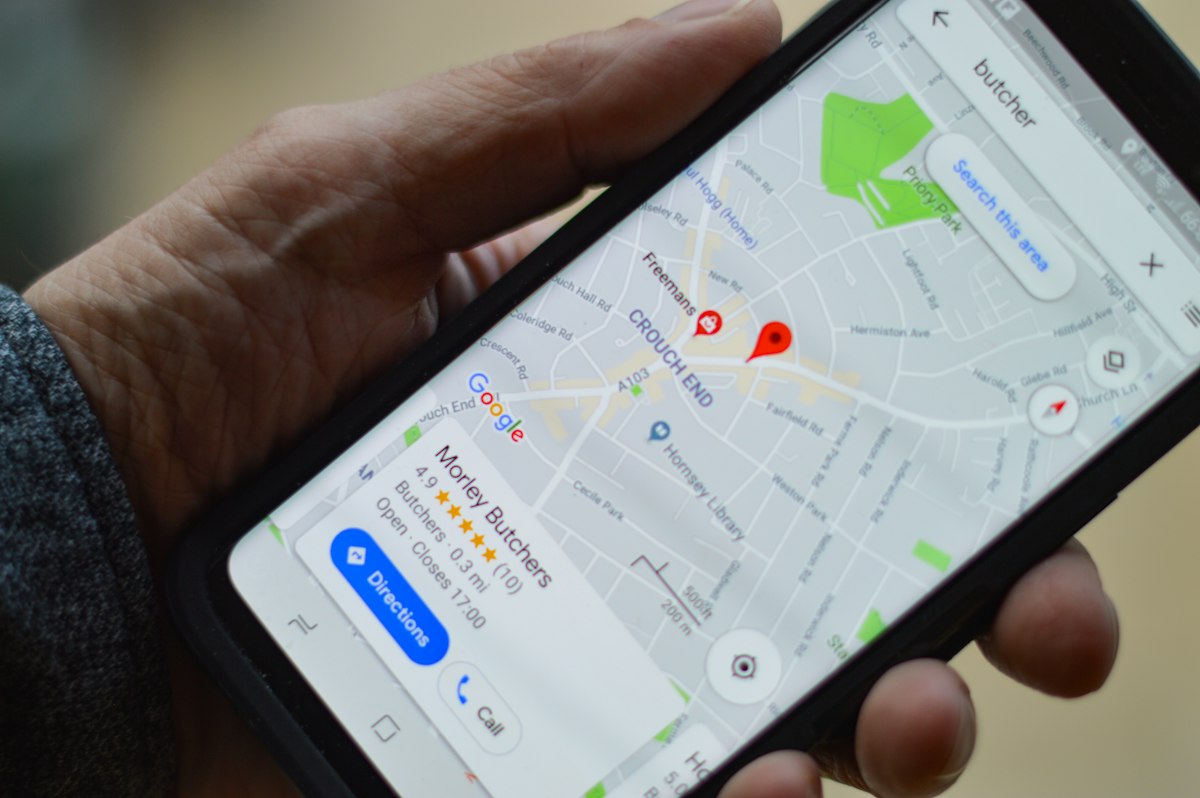
Call and location assets
Call assets
- Add your main business number or a Google forwarding number.
- Turn on call reporting to track calls as conversions.
- Schedule them only for hours when someone answers.
Location assets
- Link your Google Business Profile to Google Ads.
- Your address and distance can then appear in ads.
- Service-area businesses that hide their address may not use location assets in the same way.
Linking your Google Business Profile also helps you see store visit and direction data in some accounts. It’s a quick win that many small businesses skip.
Sitelinks and callouts
Sitelinks
Add at least four. Point each to a real, useful page.
- Service pages: “Drain Cleaning”, “Water Heaters”
- Trust pages: “Reviews”, “About Our Team”
- Action pages: “Book Online”, “Get a Quote”
- Offers: “Financing Options” (if available)
Callouts
Short phrases, about 25 characters, with no links.
- Licensed and Insured
- Same-Day Service
- Free Estimates
- Family Owned
- Upfront Pricing
Short answer vs detailed answer: do assets cost extra?
Short answer
No. You pay for clicks and calls as usual.
Detailed answer
There’s no fee to add assets. A click on a sitelink costs the same as a headline click. A call from a call asset is charged like a click. Some interactions, like clicking to expand a location, aren’t charged. Assets usually improve results because they make your ad more useful.
Want ads that stand out?
We’ll review your ads and assets and fill the gaps.
Other useful assets
| Asset | Good for | Watch out for |
|---|---|---|
| Structured snippets | Listing services, brands, types | Use the right header |
| Image assets | Trades with visual results | Use real, clear photos |
| Price assets | Fixed-price services | Must be accurate |
| Lead form assets | Easy lead capture | Can bring lower-quality leads |
| Promotion assets | Seasonal offers | Keep dates correct |

Writing tips
- Be specific“24/7 Emergency Service” beats “Great Service”.
- Don’t repeat headlinesAssets should add new information.
- Match campaignsUse campaign-level sitelinks for each service.
- Keep them currentRemove expired offers and outdated pages.
- Check performanceReplace low performers every few months.
Common mistakes
- No call asset, or one that runs when nobody answers.
- Sitelinks all pointing to the homepage.
- Callouts that repeat the headline.
- Price assets with outdated prices.
- Google Business Profile not linked.
Setup checklist
| Asset | Minimum |
|---|---|
| Call | One, scheduled to open hours |
| Location | Linked Google Business Profile |
| Sitelinks | 4 to 8 per campaign |
| Callouts | 4 to 8 |
| Structured snippet | At least one services list |
| Images | A few real photos |
Google Ads assets FAQs
Are extensions and assets the same?
Yes. Google renamed ad extensions to assets.
Will Google always show my assets?
No. Google picks which to show based on expected performance and space.
How many sitelinks should I add?
At least four per campaign, more if you have good pages.
Can I track calls from call assets?
Yes, with call reporting and call conversions.
Should I use lead form assets?
Test them. They’re easy to submit, which can bring lower-intent leads.
Do assets help Quality Score?
Expected asset impact affects ad rank, and assets often lift click-through rate.
Google Ads Help: About assets, Google Ads Help: Call conversions, Google Ads Help Center, Google Business Profile Help.
Ads built to get clicked
Synova Digital sets up complete, high-performing Google Ads.